The Genius Hour – An 80/20 Rule

According to the Genius Hour website (2019), “Genius Hour is a movement that allows students to explore their own passions and encourages creativity in the classroom. It provides students a choice in what they learn during a set period of time during school.”  It’s not easy to determine where the idea was originally created, but there are at least two events that have impacted genius hour. Some say that the Genius hour was created by Google as it is driven by the 80/20 rule where 80% of their work day is what is required by Google, and the other 20% of their time can be spent on any pet project that the employee wants.

Genius Hour In the classroom is an approach to learning built around student curiosity, self-directed learning, and passion-based work. In traditional learning, teachers map out academic standards and plan units and lessons based upon those standards. In Genius Hour, students are in control, choosing what they study, how they study it, and what they do, produce, or create as a result. As a learning model, it promotes inquiry, research, creativity, and self-directed learning.

Many educators are leading the way with passion projects in their classrooms but much of the inspiration has come from a book, The Passion-Driven Classroom: A framework for teaching and learning, by Angela Maiers and Amy Sandoval. A.J. Juliani also wrote a book on the Genius hour and 20% time in education. Giving students the opportunity to engage in their own interests ultimately can lead to better learning experiences and life long learners. 

Through a previous project with a partner, I was able to take a deeper look into Genius Hour. In a 2015 article released by TeachThought, the many benefits to implementing Genius Hour were pointed out, and the following pros were noted:

  • Learning is student-centered & open-ended
  • There is encouragement of students to design meaningful and authentic work
  • Tech-centered and tech-limited classrooms are easily supported
  • Students are able to practice navigating “unfiltered” and non-academic content with a focus on inquiry and research
  • Learning beyond the classroom is promoted
  • Students who struggle in traditional settings have found great success
  • Students that “play” with ideas tend to think laterally, critically, and creatively since they’re not seeking to play guess-what-the-teacher’s-thinking

As with everything, there are challenges to consider. In the same article mentioned above, TeachThought pointed out some of the  cons of Genius Hour, for example:

  • Students accustomed to being told what to do, when, and how can feel uneasy without “assignments.” Students may ‘sit there’, unwilling or unable to do anything without being told.
  • In genius hour, models (examples of what students can do/build/design/create) and connectivity (working with different people for different reasons) become paramount. Without them, this open approach to learning can do more harm than good.
  • Teacher role and planning has “new rules” in genius hour; teachers must adjust their planning–and role–accordingly
  • Grading requires rethinking, and parents and students must understand the idea and purpose and expectations of this new idea.
  • Some students, whether from having their curiosity suppressed for years, a lack of confidence, or some other missing element, may feel anxiety in a genius hour setting. This could negatively impact students with special needs, IEP’s and other educational supports as well.

It is also important to consider the fact that many teachers and students face challenges with the effective implementation of technology, or other learning tools, for educational purposes. Thus, Genius Hour would need to be properly scaffolded with regards to tech tools and their uses without interfering with the authentic nature of the learning experience. This may also create challenges for students with special needs, IEP’s and other supports.

Next Steps

Gathering ideas is as simple as searing up Genius Hour on youtube but to add depth teachers can make network connections beyond the classroom. Jen Sneider (2017) wrote, “Teachers can help facilitate mentorships with community members by reaching out to friends, colleagues, businesses, and connecting via social media.” Teachers can also become Genius Hour evangelists, so to speak, by presenting to their local school boards or by simply promoting their projects through twitter, FB, Pinterest, school websites, and even through local news channels.The more 21st-century learning approaches, such as Genius Hour, are implemented and promoted throughout our educational systems, the closer we get to modernizing learning and keeping pace with technology, ideas, and the needs of the workplaces of the future, thus preparing our students for the tech savvy world today with 21st century skills.

Whether your new to teaching or a seasoned vet, the newest trends are all around us and Genius Hour is at the top of the list. Simply put Genius Hour is inquiry based, student directed learning. It gives students the opportunity to look at the big wide world around them and explore their own interests in a loosely structured but supported environment where the teacher becomes a facilitator for learning. Terry Heick, founder and director of TeachThought, sings the praises of Genius Hour and describes it as a time when “students are in control; choosing what they study, how they study it, and what they produce or create as a result.”

Still not sure about the Genius Hour and how it works or how to incorporate it in your classroom.  Below are some articles and examples of how to use genius hour in your classroom.

https://www.weareteachers.com/what-is-genius-hour/ (Links to an external site.)

http://ajjuliani.com/genius-hour-blueprint-step-step-guide-running-project-class/ (Links to an external site.)

Resources

(n.d.). 6 Principles Of Genius Hour In The Classroom – TeachThought. Retrieved October 13, 2019, from https://www.teachthought.com/learning/6-principles-of-genius-hour-in-the-classroom/ (Links to an external site.)

(2015, December 26). 7 Pros & Cons Of Teaching With Genius Hour – TeachThought. Retrieved October 13, 2019, from https://www.teachthought.com/learning/7-pros-cons-of-teaching-with-genius-hour/ (Links to an external site.)

(2016, August 5). 10 Reasons to Try Genius Hour This School Year – A.J. JULIANI. Retrieved October 13, 2019, from https://georgecouros.ca/blog/archives/6574 (Links to an external site.)

(2015, August 2). Genius Hour: Critical Inquiry and Differentiation – NCTE. Retrieved October 13, 2019, from http://www.ncte.org/library/NCTEFiles/Resources/Journals/ELQ/0381-aug2015/ELQ (Links to an external site.)0381Genius.pdf (Links to an external site.)

 (Links to an external site.) (Links to an external site.)(2017, September 15). Genius Hour in Elementary School | Edutopia. Retrieved October 13, 2019, from h (Links to an external site.)ttps://www.edutopia.org/article/genius-hour-elementary-school (Links to an external site.)

Sneider, Jen. (2017, Sep. 24) How to Build Community Leaders Through Student Genius Hours. Retrieved October 12, 2019, from https://www.gettingsmart.com/2017/09/how-to-build-community-leaders-of-today-and-tomorrow-through-student-genius-hours/ (Links to an external site.) (Links to an external site.) (Links to an external site.)

(n.d.). What is Genius Hour? – Genius Hour. Retrieved October 13, 2019, from https://geniushour.com/what-is-genius-hour/ (Links to an external site.) (Links 

Using Google Hangouts & Skype in Education

The new Hangouts look much better but still are a pain to setup
AC. (2013, December 2) The new Hangouts look much better but still are a pain to set up. AC. photo stream. Retrieved from https://flic.kr/p/i2gwaU

I had the pleasure for the first time using Google Hangouts as an educational tool. I had about a 15 minute conversation with Maddie. Our conference call was to share ideas about podcast lesson we collaborated on using wiki. This tool allowed use to have a face to face conversation about the lesson, some components of what we wanted to add and share an even deeper conversation about education and the changes that may be to come in the future.  

Prior to this opportunity my only experience with Skype or Hangouts was when I was a substitute teacher. As a sub, I witnessed first hand how educators use Skype in the classroom. While covering a small class of six students at the Hazleton Area Science Academy I had to log into the computer system and project the Skype on screen for students to view. On the other side was a Spanish teacher, teaching her class and the six students I had in the room both remotely and in person. As an educator, it was very interesting to experience this and made me think just how much education may be different twenty years from now.

As scary as it may seem, Skype and Google Hangouts could change education and how we do things tomorrow. This has become a heated debate but I believe we will begin to see less and less of the classroom and more elearning. Why, you ask? Simply put, technology is changing everything we do. Not to mention less students are becoming teachers because of all the changes that have come, particularly in Pennsylvania mostly from expectations and low pay.  I believe many of the classroom you see today will become more virtually based and students may just be waking up in their pj’s logging onto their computers to take classes just as we may be doing with this course. Having the ability to have the face to face view using Google Hangouts or Skype is a plus and still brings that personal touch of enthusiasm from the teacher and at the same time eliminated off topic unwanted conversations between students that distract others. Just like many other educational tools it has its own cons, with Skype or Google Hangouts the two main concerns I feel is technology issues that may be difficult to be patient with and safety concerns as it can be used inappropriately if not supervised regularly by parents.

As a teacher I feel that I benefit using Google Hangouts in a variety of different ways.Below is a list of opportunities that could help expand my classroom beyond the classroom walls.

  • Use it as a way to work on projects, just like Maddie and I did. 
  • Possibly invite a doctor or scientist to give a presentation.
  •  Invite parents, community members, or businesses to observe student presentations allowing for a bigger audience. 
  • Use it as a way to include students who may be unable to attend regular school due to illness, thus bridging the gap for full inclusion. 
  • Possibly provide students with a virtual tour of a museum with some coordination with community leaders.
  • Students can potentially interview experts on a specific topic being discussed in class.

Overall, I think that both of these tools are great components to use as a teacher. Pairing them up with a PLN can only help expand the learning network. As mentioned above, I feel there are a lot of opportunities to use Skype of Google Hangouts but also have fears of what may be a classroom in the future. What are some ways you feel you can benefit from these types of learning tools? How might they impact you and educator in the future?

Twitter as a PLN

Twitter
EV.(2013, September 16) Twitter EV.’s photo stream. Retrieved from https://flic.kr/p/fTJPAd

Twitter can be used to meet a variety of learning objectives, in individual contexts and in a manner best suited to one’s needs. People often use networks to learn, and Twitter – with its architecture, functions and features – is an ideal tool for this purpose. 

Twitter, as a popular social network, can be used in various ways for social learning as it offers many benefits when it comes to reaching your audience. Many teachers today are turning to twitter even though it’s encouraged for students to use the school websites. 

Some of the benefits of using Twitter as a PLN include:

  1. Tweet can share homework and assignments for students to students who may not have been at school. 
  2. It’s easy to use and highly interactive amongst all ages. 
  3. Just like blogging, Twitter is a microblogging social media platform that allows for student collaborations.
  4. Provides real time opportunities for discussion and feedback.  
  5. Excellent way to connect with other students around the world. 
  6. It’s accessible anywhere.
  7. Facilitates a collaborative learning environment. 
  8. Can be a great source of new ideas and collect more information about a topic, thus helping the student better understand the topic.

As educators, Twitter we can also benefit.  Just like the pros and cons mentioned above, Twitter allows educators to share their thoughts, making it a perfect place to brainstorm a variety of ideas.  Twitter is also a great place to find and share inspiring stories about educators doing amazing work. Twitter can also be like a playground filled with curiosity. By allowing our minds to wander wherever our own curiosity leads, we discover unexpected places—and these often lead to more questions and curiosity. Last, it allows for educators to make connections further than the brick and mortar. Twitter helps us connect beyond the “box” of our immediate reality and exchange ideas with educators across the globe.

I’m sure there are many other benefits Twitter has to offer as it continues to expand an already packed arsenal of learning weapons.  Like many educational tools however, it also comes with its fair share of cons. 

Some cons of using Twitter include:

  1. It limits the user to only 140 characters meaning that what I wrote here today wouldn’t be seen as a tweet.
  2. It’s not an ideal means for visual content making it difficult for the visual learner.
  3. Twitter does not archive their content, meaning if a topic was discussed overtime, it would be impossible to read all the tweets about it.
  4. It allows one direct message at a time to a user. Meaning that replying to a tweet takes time and if many posts are made it can be hard to keep up with the conversation.
  5. It can be distracting and easily lead students to a different topic completely off base. 

Overall, social media, in particular Twitter has both pros and cons. This social media tool improves communication between teachers and students and facilitates the learning process. Twitter can be a great weapon in the aersonal of learning tools for all students. It allows doors to be open to a new world of learning globally rather than just face to face. Twitter can also be a great way to learn new materials and better understand topics that they are researching.  Twitter also helps by making students become more engaged in the educational process and more interested in the materials thus making learning more fun and motivating the learner.

Twitter can be used to meet a variety of learning objectives, in individual contexts and in a manner best suited to one’s needs. People often use networks to learn, and Twitter – with its architecture, functions and features – is an ideal tool for this purpose. 

Twitter, as a popular social network, can be used in various ways for social learning as it offers many benefits when it comes to reaching your audience. Many teachers today are turning to twitter even though it’s encouraged for students to use the school websites. 

Some of the benefits of using Twitter as a PLN include:

  1. Tweet can share homework and assignments for students to students who may not have been at school. 
  2. It’s easy to use and highly interactive amongst all ages. 
  3. Just like blogging, Twitter is a microblogging social media platform that allows for student collaborations.
  4. Provides real time opportunities for discussion and feedback.  
  5. Excellent way to connect with other students around the world. 
  6. It’s accessible anywhere.
  7. Facilitates a collaborative learning environment. 
  8. Can be a great source of new ideas and collect more information about a topic, thus helping the student better understand the topic.

As educators, Twitter we can also benefit.  Just like the pros and cons mentioned above, Twitter allows educators to share their thoughts, making it a perfect place to brainstorm a variety of ideas.  Twitter is also a great place to find and share inspiring stories about educators doing amazing work. Twitter can also be like a playground filled with curiosity. By allowing our minds to wander wherever our own curiosity leads, we discover unexpected places—and these often lead to more questions and curiosity. Last, it allows for educators to make connections further than the brick and mortar. Twitter helps us connect beyond the “box” of our immediate reality and exchange ideas with educators across the globe.

I’m sure there are many other benefits Twitter has to offer as it continues to expand an already packed arsenal of learning weapons.  Like many educational tools however, it also comes with its fair share of cons. 

Some cons of using Twitter include:

  1. It limits the user to only 140 characters meaning that what I wrote here today wouldn’t be seen as a tweet.
  2. It’s not an ideal means for visual content making it difficult for the visual learner.
  3. Twitter does not archive their content, meaning if a topic was discussed overtime, it would be impossible to read all the tweets about it.
  4. It allows one direct message at a time to a user. Meaning that replying to a tweet takes time and if many posts are made it can be hard to keep up with the conversation.
  5. It can be distracting and easily lead students to a different topic completely off base. 

Overall, social media, in particular Twitter has both pros and cons. This social media tool improves communication between teachers and students and facilitates the learning process. Twitter can be a great weapon in the aersonal of learning tools for all students. It allows doors to be open to a new world of learning globally rather than just face to face. Twitter can also be a great way to learn new materials and better understand topics that they are researching.  Twitter also helps by making students become more engaged in the educational process and more interested in the materials thus making learning more fun and motivating the learner.

(2019, April 17). Importance of Twitter in Education — Advantages … – Analyzedu. Retrieved October 20, 2019, from https://www.analyzedu.com/blog/education-tips/the-role-of-twitter-in-education.html

 (n.d.). The Pros and Cons of Twitter for Professional Learning …. Retrieved October 20, 2019, from https://connection.sagepub.com/blog/sage-connection/2015/07/22/the-pros-and-cons-of-twitter-for-professional-learning/

Flickr in the classroom

BL. (2010, October 14) Schools of the Future BL.’s photostream. Retrieved from https://flic.kr/p/8Kw3y1

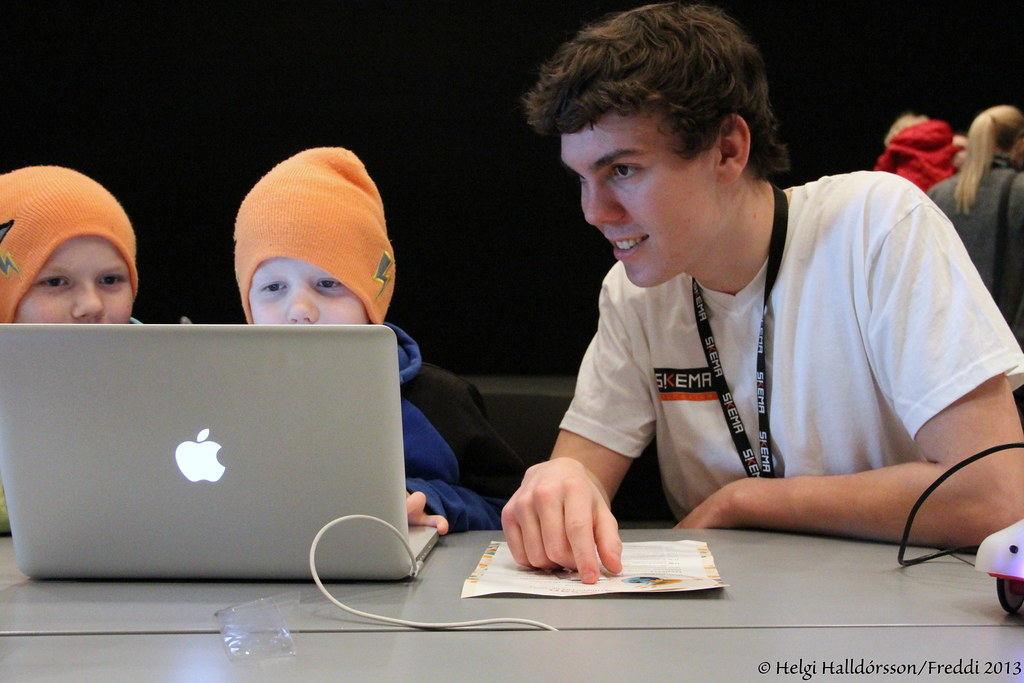
Using Flickr in the classroom is fairly new to me but looking at this photo I feel it can bring a lot to my classroom. Flickr in education allows for students to share their work in a creative way. The photo shared displays how the classroom is changing and continues to change with the help of collaborative learning environments and new technologies.

My students can benefit from Flickr in the following ways:

  • A way to introduce themselves, great ice breaker sharing pics about them.
  • Creative portfolios where students can capture end results of a project or even the steps taken to complete the project.
  • Telling stories by taking action shots allowing for a set of pictures to tell you us what’s happening. 
  • A great way to share their completed work just as the photo above represented. 
  • Provides a way for students to illustrate their work. When having students blog students can use the photos acceptable with their blogs to draw people’s attention.
  • Use a picture for students to make inferences on, for example, if picture shows someone covering their face in front of a laptop. Having students discuss photo and make inferences about it can open up for some great discussions about mental health. 

I’m sure there are many other ways to incorporate Flickr in the classroom. As I began to dig a little more into how to use Flickr I came across a blog from education technology. The blog provides basic use and some practical ideas for use in the classroom. It also shares some videos that help show how to use it. Check out the link provided. 

https://educationtechnology-theoryandpractice.blogspot.com/2011/06/flickr-for-teachers-and-classrooms.html

Collaborative Learning & sharing what we know

Collaborative learning is one of the teaching approaches where students work in groups in order to understand a concept, create a product or solve a problem. In this environment, students engage with one another to share information, evaluate ideas, and monitor work together.

As a teacher in a collaborative environment it requires clear objectives, clear explanation and examples of what collaborative looks like, and activities that require both team work and individual feedback. This teaching format also can enhance student’s success through the use of peer evaluations, well thought out grouping, and role assignments that may encourage students to demonstrate desirable collaborative behaviors.

When designing activities for teaching and assessing we must also be sure to consider the three elements of collaboration: interpersonal communication, conflict resolution, and task management.  Creating activities that are aligned with clear objectives and individual skill level can help students work effectively. A collaborative learning environment also is a great support system for both the teacher and student on a social and academic level. Being able to share personal knowledge with one another can provide students and teachers a lot of benefits.

Some advantages for students involved in a collaborative learning environment include:

  • While working within their groups they can generate more information, solve problems, and come up with alternatives than the average individual.
  • Students tend to be more motivated by technology driven lessons today and take a more active role than they would in a lecture based environment.
  •  Students can also turn to each other for help when experiencing difficulty in a particular area.
  • Collaborative learning environments also help strengthen social interactions while simultaneously increasing the students’ academic knowledge.

Teachers can also benefits from collaborative learning environments. Some advantage include:

  • Can provide better instruction when providing collaborative based lessons
  • Expands your teaching arsenal with a wide variety of web based tools and apps that can assist with your everyday teaching.
  • Lessons become be more consistent and expectations must be very clear.
  • Activities and lessons become more student centered allowing for both group and individual feedback.

Some drawbacks can be:

  • Certain individuals may still not feel comfortable participating even at a distance
  • Some members may contribute while others do not.
  • Some group members may not agree or will not compromise with others
  • Plagiarism or the inability to proper site work.

All of these are obvious concerns but providing our students with a collaborative learning environment can enhance academic achievement and personal social skills. Being able to become accustom to this sort of teaching allows students to engage and involve themselves more actively in the learning process, interact more effectively with their peers to handle problems and learn from one another making a learning environment that is fun and educational for all.

Collaborative learning enables a team to combines its knowledge
and skills in making sense of a complex phenomenon.
“Technology Learning Fund: A guide to implementation”
2017 (14)

Social Bookmarking – 4-4

When looking at my units for my health classes, the one I felt could be most adapted would be the human body project. The original lesson had students work in groups of four creating a poster about a specific body system. Students were able to select their system but each group selected numbers and had to pick a topic that was left. Students then had to present their poster to the rest of the class. I felt that with the help of Symbaloo, my students could use this resource in bookmarking their research findings and share with others. This lesson could be a replacement or lead up lesson to a final project.  Symbaloo will provide students with a great way to share information with one another as well as keeping their research organized and in one place.  I also added the use of blogging as well, which could allow students to share and connect with others inside our classroom. 

The advantages with Symbaloo include opportunities for students to research on their own, a way to organize their materials, make connections with other student findings, and collaborative grouping based of specific topics selected. 

Disadvantages might be off task behavior, little effort as they may just pick the first 3 sites looked at and potential copying just to get assignment done.  Students today use technology often to share their work and this is an ongoing issue even without using tools discussed in class. 

Overall I believe bring tools like this to our classroom initially will help engage students interest in learning but overtime I’m fearful that students will begin to lack interest and find ways to get work done but learn nothing from the experience.  

Lesson: 

The Human Body

Objectives:

  1. Student will evaluate the different human body systems.
  2. Student will create a Symbaloo resource page about the human body systems
  3. Students will share their Symbaloo resource page with the class.
  4. Using WordPress blog site, student will choose one specific body system and explain the how it works and its importance. 

Materials:

Video: Human Body Systems Functions

1 laptop per student

Headphones for each student

Teacher Laptop

Projector

Layout:

  • Welcome students as they arrive to class. 
  • Explain that today we will change our typical way of finding resources and learn how to organize them for easy use.  
  • Explain that we will also be learning about the human body systems and are going to become experts on one specific body system of their choosing. 
  • Using projector, show video on the Human body to students.
  • Discuss the different systems they observed when watching video.  
  • If students remember reproductive system, explain to students that one system we cannot discuss today is the reproductive system, as students will learn that in another grade. 
  • Write website for Symbaloo on board.  Show site on board and discuss how students will be using it today.  Show students how to create account.
  • Have students log into laptops, go to Symbaloo site and create their own account. Once all students are logged on, provide students examples on how to use the Google search bar to research sites for resources about the human body. 
  • Explain that now students will need to select one body system that interests them and find at least 3 sources that can help the rest of the class become experts on that specific system. Students will be reminded to use caution as we’ve learned that some sites might not be always true and to use what was taught prior to decide if source is reliable.
  • Students will then be given time to use Symbaloo to find resources about the body system they choose. Explain that students can add videos, web links, and any other tools they feel can help others learn about that system. 
  • After students complete their research, students will be asked to share their Symbaloo page as a hyperlink on our WordPress blog. Students will also be asked to write a paragraph on their blog about the body system they researched helping others understand how it works and why its important. 

Closure

Have students save and log off laptops. Remind students if not finished they must finish it for homework. Explain that their blog post must be done by tomorrow for review otherwise it will reflect a difference in final grade. 

Learning Activity 4-1 – The Old Reader

Moving forward into the online teaching world, I believe I could use an RSS as a way to improve my classroom experiences, increase my own knowledge about technology, stay in tune with upcoming apps and web based tools that bring a new wave of teaching to my students, increase ways to find new information about digital education and connect with fellow educators and administrators. After researching various options I felt the following subscriptions could bring technology right to my door step on a daily basis.

Free Technology for teachers – created by a high school social studies teacher named Richard Bryne, a certified Google Teacher. The purpose of this site is share information about free resources that teachers can use in their classroom. It provides teaches with free guides, google tutorials and opportunities for professional development presentations. The abundant amount of resources can be helpful to me when incorporating new technology into my classroom along with professional growth through training opportunities.

Teacher Tech Blog – created by Alice Keeler an expert in EdTech integration, this blog site provides teachers free resources specifically about how to create and use the Google classroom effectively. It provides blogs that help use the various components of Google, books that can be purchased for further research on how to use Google and events that educators can take part it. This source could potentially help me expand more learning experiences online then the typical classroom.

Edutopia – site created by the George Lucas Educational Foundation, this site dishes out practical classroom strategies and tips, lesson ideas, personal stories, and innovative approaches to improving teaching strategies. This site can help me better shape my classroom and incorporate various lesson ideas that might expand my student’s ability to be creative and excited about learning.

Digital tools for teachers – this blog site is done by an enthusiast with a back ground in secondary art and multimedia. This site provides various fun and creative suggestions that can be used to engage students in the learning process. I felt this blog would be helpful as it provides a layout of options that can be used with my students. It gives suggestions on how to use the apps and the potential they bring to the classroom experience.

Mindshift – Created by KQED & NPR, Mindshift explores the future of learning in all its dimensions, covering cultural and technology trends, innovations in education, groundbreaking research, education policy, and much more. This site can be a great resource to find new trends and ideas I could use in the classroom.

A Principals Reflection – This is a personal blog of principal and author Eric Sheninger, it’s a great about teaching, learning and leadership. I believe this blog may be helpful in the future as one day I may become a principal in the school system and the resources shared can potentially help me become a better leader.

Course Project 1.2 “Edmodo – make your classroom a community”

Edmodo – Make your classroom a community Make your classroom a community, written by Demetri Lales, showcases the pros and cons of what Edmodo has. It discusses how Edmodo combines a secure social network platform with the functionality of a learning management system or LMS.

Some of the pros include the teacher being able to fully customize their own learning spaces, give students personalized badges for student accomplishments, directly connect with other teachers around the world, share online resources and hold online discussion about the specific subject they teach.

Some of the cons were the inability for adapt assignments beyond the simple quizzes and assignments. Teachers are not able to customize their content nor add visual engaging elements. If teachers were given more options on creating assignments it would allow for them to create the best possible lesson for their students. In the end, however, Edmodo has some of the basic features that are very similar to the social media outlets students use today so navigation will be easy to do. Edmodo also provides more functions then the regular LMS but in a social network package.

After reading the many different articles, some of which were research based, I think it’s safe to say that Edmodo is a great LMS for educators to use. It allows connections to be made with both colleagues and students and takes the learning environment beyond the four walls of a classroom. Being able to create assignments online, provide immediate feedback to students about those assignments or host discussions in a blog format are all great ways to develop a learning environment that provides students opportunities to work collaboratively and effectively.

(n.d.). Edmodo – Demetri Lales – Blog at EdLab, TC – Columbia University. Retrieved September 28, 2019, from https://edlab.tc.columbia.edu/blog/14424-Edmodo

Course1.2 “Student preference towards use of Edmodo as a learning platform to create responsible learning environment”

A study on “Student preference towards the use of Edmodo as a learning platform to create responsible learning environment” Very little studies have been done on Edmodo and whether or not it is a great learning platform to create responsible learning environments. This particular study was done to determine if students had a preference towards the use of information and communication technology in the form of an academic networking site, Edmodo on student engagement and responsible learning. The researchers evaluate whether Edmodo was an authentic teaching strategy that should be employed by more teachers hoping to encourage a student centered learning environment online where they can be actively engaged and practicing view of responsible learning.

This study showed that Edmodo as a learning platform has some advantages over the traditional classroom environment. The researcher stated that Edmodo can foster the combined knowledge creation of a group better than individuals diaries and discussion, because Edmodo facilities sharing ideas beyond the classroom via an online platform that allows readily available access at random times to continue such discussions, online quizzes, sharing folder options and mainly connection to the global experts (421).

As an educator using Edmodo as a learning platform for students extends responsible learning beyond the classroom and fosters and environment that is welcoming for all students to engage in. The study done clearly helped bridge the knowledge gap of just what Edmodo can do for teachers and their students. Even though the study was done at the University level, I believe my students at the elementary level can equally engage in the learning process with Edmodo and expand their learning environment both inside and outside the classroom.

(2014, August 20). A Study on “Student Preference towards the Use of Edmodo …. Retrieved September 28, 2019, from https://www.sciencedirect.com/science/article/pii/S1877042814042396

Course Project 1.2 How to use Edmodo in the classroom

How to use Edmodo in the classroom

How to use Edmodo in the classroom is an article written by Jason Cunningham a social media editor from education world. This article discusses the various ways that Edmodo can be used by teachers, administrators, students and lets not forget their parents. Edmodo is known today as “Facebook” for school. This web based tool was created in 2008 and since has gained over 20 million users. Each year it continues to grow and now is available in six different languages including Spanish, German, and Greek.

As a teacher, Edmodo literally brings the classroom to the student online. Teachers have the ability to create assignments, provide quizzes and polls for students to complete. As an educator we can manage are classes and consolidate all the activities in one place. Administrators can use this platform to coordinate and collaborate with leadership teams and provide feedback and receive feedback from other educators. Admin can even use it when planning professional development days to share videos and discussion with staff. As a student it’s easy to stay connected with the teacher. Students can ask questions to both their teacher and other students allowing for extra help if they didn’t quite understand a topic, check for missed work in case of being absent and receive immediate feedback from the teacher on a handed in assignment or project. Parents can also get in on the action to simply stay on top of their child’s grades, receive updates on school happenings or missing assignments, and even review their child’s work.

Personally, I believe that Edmodo can be a great new tool for my students and their parents. To implement this, I’ve already begun playing around with the app to see how it works. Once I feel comfortable I want to try and implement this so that students can stay connected beyond the school walls. I think it can be a great tool to help provide students with open collaborative discussions about various topics through blogs, add a new element of online lessons that students can engage in at home and open a door to communicate with me as their teacher faster than the following week I see them.

(n.d.). How to Use Edmodo in the Classroom | Education World. Retrieved September 28, 2019, from https://www.educationworld.com/a_tech/how-educators-can-use-edmodo.shtml